How SSCC Labels Identify Shipments
September 20, 2026
GTIN-14 and ITF-14 Barcodes for Cases and Cartons
November 1, 2026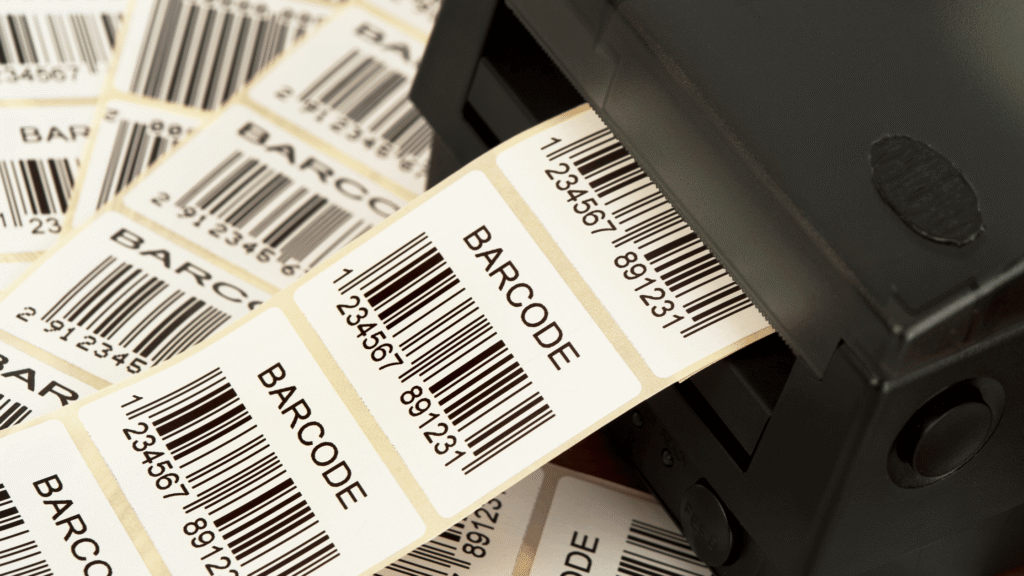
A company can spend a surprising amount of time producing labels that contain no new information. Same product code, same artwork, another printing job. The equipment may be working perfectly well, but is operating it still the best use of company time?
For businesses with regular labeling demands, preprinted barcode labels offer an alternative. A commercial supplier prints the labels in advance and delivers them ready to be used. Those orders require no printer operation, no blank stock to load, and fewer production tasks for employees to handle.
Of course, some barcodes can’t be prepared days or weeks ahead. A shipping department needs tracking numbers as orders are processed. A factory may assign serial numbers during production.
The decision comes down to what you’re printing, how you do the work, and what it costs to produce a finished label.
What Changes When You Buy Labels Instead of Printing Them?
The difference seems straightforward. With preprinted labels, somebody else operates the printing equipment. With in-house printing, your company does.
But the choice also affects purchasing, production schedules, and the amount of label stock a business keeps on hand.
Preprinted Barcode Labels
An outside printer receives the approved barcode artwork, numbering information, and label specifications. It produces the order and ships the completed labels to the customer.
The order might contain thousands of copies of one UPC-A barcode. It could also include sequential serial numbers for equipment identification or other variable information supplied in a data file. Professional printing isn’t limited to identical codes.
The customer must settle the label specifications before production begins. These include the dimensions, material, adhesive, and barcode format. A removable label used for temporary inventory identification requires different materials from one intended to remain on equipment for years.
Once printed, the labels are fixed. If the artwork changes or an incorrect number was supplied, the affected stock may need to be replaced.
Printing Barcodes In-House
An internal setup gives a business control over when labels are produced. Barcode software prepares the information, and a printer transfers it onto compatible label stock.
Two technologies are common:
Direct thermal printing uses heat-sensitive material. The printhead darkens the label surface without ink or ribbons. It’s widely used for shipping labels and other short-term applications.
Thermal transfer printing uses a ribbon to form the barcode. With the right materials, it can produce labels that resist wear, moisture, and other conditions that would damage ordinary direct thermal output.
An on-site printer can produce a single label or an entire batch. Some businesses connect their equipment directly to inventory management systems, allowing information to pass from the software to the printer with little manual work.
Owning the equipment also means taking care of it. The company supplies the label stock and ribbons, where required, and handles repairs, maintenance, and print-quality checks.
Preprinted vs. In-House Barcode Printing: Quick Comparison
| Factor | Preprinted Barcode Labels | In-House Printing |
| Production | Finished by a commercial supplier | Printed on-site |
| Equipment | No internal printer required for outsourced jobs | Requires printers and supplies |
| Costs | Label orders, shipping, storage | Equipment, materials, labor, maintenance |
| Changes | New data may require another order | Updated labels can be printed immediately |
| Quality control | Handled by the supplier, with verification where available | Managed internally |
| Best suited for | Planned orders and repeat labeling | Changing data and on-demand printing |
The Case for Professionally Printed Barcode Labels
There’s a difference between owning a printer because it serves an immediate purpose and keeping one busy simply because it’s available.
Take a product with an established UPC and packaging design. Once the information has been approved, each new batch of labels repeats work already completed. A commercial printer can handle those orders while the manufacturer’s employees focus on packaging and other production duties.
For a business without suitable printing equipment, the appeal may be even greater. Buying a printer means choosing hardware, obtaining software, purchasing the correct supplies, and maintaining the setup. None of those responsibilities are necessary when you can order finished labels from a supplier.
Commercial production also opens up material and design choices. A standard desktop printer may be perfectly adequate for paper labels but unsuitable for certain custom sizes or specialty materials. An outside supplier can produce labels with specifications that go beyond the capabilities of the customer’s existing equipment.
Consider the adhesive alone. A label intended for a refrigerated package might require different properties from one applied to a cardboard shipping box. Choosing the wrong stock or adhesive can cause problems long after the barcode leaves the printer.
Professional printing doesn’t automatically mean better quality. Properly maintained in-house equipment can produce excellent barcodes. The difference is that a specialist supplier can assume responsibility for the production process and, where offered, perform formal barcode verification before shipping the order.
When the Printer Belongs on Your Production Floor
Some jobs lose their practicality as soon as printing moves off-site.
A distribution center cannot order every shipping label in advance because addresses and tracking numbers are generated as shipments are prepared. Producing those labels beside the packing station is simply easier.
The same applies when a manufacturer assigns serial numbers during production. An on-site printer can receive that information directly from the production system. No one needs to place an outside order for data that didn’t exist until a few moments earlier.
Existing equipment changes the economics, too.
If a company has dependable thermal printers, trained staff, and a well-established process, its cost of printing an additional small batch may be quite low. Ordering those labels from a supplier adds shipping and purchasing work without necessarily reducing labor.
There is another practical concern: product changes. Companies that regularly revise artwork or identification details may prefer to print only what they need. Otherwise, every revision risks leaving them with stock that no longer matches the product.
An internal printer is useful under those conditions. The business can update its approved label file and begin printing again without waiting for another shipment.
The Price Per Label Can Be Misleading
A finished barcode label has several costs attached to it. Some appear clearly on an invoice. Others are absorbed into the ordinary workday.
What Does In-House Printing Really Cost?
Blank label stock is easy to price. Businesses can also track expenses for ribbons, replacement printheads, software, and printer maintenance.
Labor is less predictable.
A printer connected to an automated packaging line may run for hours with little attention. A smaller company might depend on an employee who prepares files, loads rolls, corrects printing errors, and checks the output between other assignments.
Neither situation is unusual, but their costs are very different.
A printer purchased several years ago has already incurred its original cost. That doesn’t make the labels free. Supplies and maintenance continue, and employee time still has a value. Businesses purchasing equipment for the first time must also consider how many labels they’ll produce before the investment pays for itself.
To compare internal printing with outsourcing, calculate the cost of each usable finished label, including wasted stock and labor. Then request a quote from a professional supplier using the same label dimensions, material, barcode type, and quantity.
Shipping and other order charges belong in the supplier’s total.
The result may favor either method. A large print run can make outside production attractive, while an efficient internal process may cost less than expected.
What Happens to Labels You Never Use?
Suppose a company buys six months of printed labels to secure a lower price per thousand. Two months later, it changes the size of its packaging. The old labels are too wide for the new design.
The discount hasn’t disappeared from the invoice. It has disappeared from the economics of the order.
A product with a long-established design poses less risk. If sales are steady and the label specifications rarely change, buying in larger quantities can be reasonable. Companies preparing frequent packaging revisions have a stronger reason to limit their orders.
There are storage costs to account for as well. Finished rolls take up space, and different versions need clear identification. Using outdated stock by mistake can lead to relabeling work.
Ordering large quantities is sensible when the business has reliable usage figures and a stable design. Without those conditions, the lowest price per label may be a poor bargain.
A Barcode That Scans Isn’t Necessarily a Good Barcode
A barcode’s appearance tells only part of the story.
A printed symbol might look clear enough to read, yet its bars could be too wide, its contrast too weak, or its surrounding blank area too narrow. That clear space, called the quiet zone, allows scanners to distinguish the code from nearby text and graphics.
These details affect how reliably the barcode performs across different scanning equipment.
Formal barcode verification measures print quality against defined specifications. It provides a more complete assessment than passing a handheld scanner over a label and confirming that a number appears on the screen.
This is particularly relevant for products entering retail distribution or other systems with strict barcode requirements. Depending on the application, the business may need to meet specifications for UPC-A, GS1-128, GS1 DataMatrix, or another barcode format.
A professional printer with verification equipment can check the quality of its output. In-house operations can do the same, although they must maintain the necessary equipment and procedures themselves.
Label durability is part of maintaining scan quality. Direct thermal material can darken after exposure to heat or sunlight, while suitable thermal transfer materials can provide greater resistance. Neither technology should be selected without considering how the label will be stored and handled.
For retail products, there is also a distinction between the barcode symbol and the number it represents. A business must obtain or assign the proper Global Trade Item Number (GTIN) through GS1 when required. Having a printer produce the barcode does not grant the business rights to use that identifier.
GS1 US provides guidance on barcode placement, dimensions, and printing requirements.
Which Printing Method Would Be the Better Investment?
If your business repeatedly uses approved barcode designs, start by comparing the cost of professionally printed labels with your current printing expenses. There’s little advantage in tying up employees or purchasing new equipment for work a supplier can handle at a competitive price.
The recommendation changes when the information isn’t available until the label is needed. Shipping details and certain production-generated identifiers are good reasons to keep printers on-site.
Some variable data can still be preprinted. A prepared sequence of serial numbers, for instance, can be supplied to a commercial printer. That’s possible only if you know the exact information before the labels are produced.
The label’s expected lifespan is another consideration. A temporary carton label doesn’t need the same stock or adhesive as a permanent asset tag. Printing technology, material, and the conditions in which the label will be used all influence the purchase.
A company may find that neither method should replace the other entirely. Its purchasing department can order product labels in advance while production staff continues printing data that changes during the workday.
For businesses considering their first barcode printer, obtaining a professional printing quote is a useful starting point. Those with existing equipment should compare the actual operating costs before making changes.
Have AccuGraphiX Handle Your Barcode Printing
We have supplied barcode-related products and services since 1986. We are a GS1 US Solutions Partner that produces ready-to-use labels for businesses that prefer to outsource barcode printing.
Our preprinted barcode label selection includes numerous sizes, labels with accompanying text, removable adhesives, and formats for different identification needs. We verify the barcodes we print for quality and accuracy.
For products requiring a specific look, we offer custom color labels with options for size, material, shape, and adhesive.
More specialized applications are covered through our GS1-128 and GS1 DataMatrix barcode services. These services include additional information such as lot numbers, production dates, and serial numbers when the necessary data is supplied.
We also offer in-house barcode printing software for certain applications, so businesses with mixed labeling requirements can discuss those needs rather than assuming every label must be outsourced.
If your staff regularly produces the same barcode labels, find out what that work would cost through a professional printing service. You may be able to eliminate routine print jobs and reduce the resources devoted to maintaining equipment.
Explore our preprinted barcode label options or request a quote for the size, material, barcode format, and quantity you need. With actual pricing available, you can make the decision based on your company’s printing costs instead of estimates.